Installation
Get vdb running in an existing Rails app in under two minutes. There are two paths: the automated installer (recommended) or the manual setup.
Automated installer
Step 1 — add the gem to your Gemfile:
group :development do
  gem 'vdb'
end
Step 2 — install:
bundle installStep 3 — run the installer task:
rails vdb:installThe task automatically:
- Appends a
mount Vdb::Engineline inside yourconfig/routes.rb - Creates
config/initializers/vdb.rbwith sensible defaults - Prints a summary of what was changed
Step 4 — start your server and visit:
bin/rails server
# then open http://localhost:3000/dev/erd
Manual setup
1. Gemfile
Add vdb to the :development group only. It should never ship to production:
# Gemfile

group :development do
  gem 'vdb'
end
bundle install2. Mount the engine
Add the mount inside config/routes.rb. Wrapping in Rails.env.development? is optional but adds an extra guard:
# config/routes.rb

Rails.application.routes.draw do
  # Mount vdb at any path you like
  mount Vdb::Engine, at: '/dev/erd'

  # …rest of your routes
endat: path is entirely up to you. /dev/erd, /erd, /db-diagram — all work.
Just make sure it does not clash with an existing route.
3. Initializer (optional)
Create config/initializers/vdb.rb only if you need to change the defaults. Without it, vdb reads db/schema.rb and uses no authentication:
# config/initializers/vdb.rb

return unless Rails.env.development?

Vdb.configure do |c|
  # HTTP Basic Auth — leave username nil to disable (default)
  c.username = ENV.fetch('VDB_USER', nil)
  c.password = ENV.fetch('VDB_PASS', nil)

  # Extra schema files to expose as tabs.
  # 'primary' with nil auto-resolves to db/schema.rb.
  c.databases = {
    'primary' => nil,
    'audit'   => Rails.root.join('db', 'audit_schema.rb')
  }

  # Title shown in the page header and browser tab
  c.title = 'My App — Database ERD'
endreturn unless Rails.env.development? guard at the top. It ensures the initializer
is a no-op if this file is somehow loaded in production (e.g. via a shared initializer loader).
Verify it works
Start the Rails development server and navigate to the path you mounted the engine at:
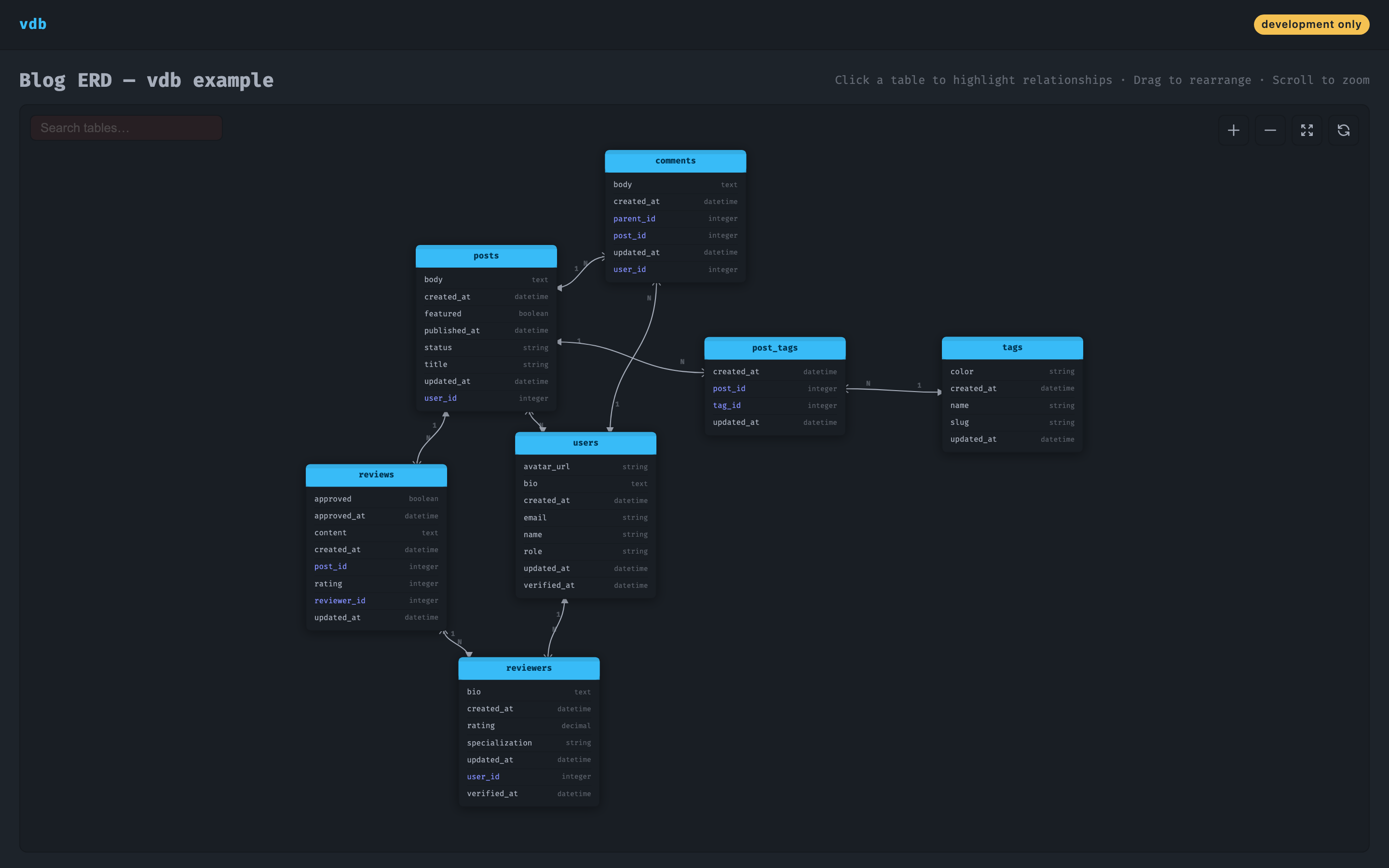
bin/rails serverThen open http://localhost:3000/dev/erd in your browser. You should see:
- A dark canvas with your tables rendered as node cards
- Relationship lines connecting foreign keys
- Crow's-foot / single-tick cardinality markers on every link
- A search input, zoom controls, and fit-to-screen button in the toolbar
Troubleshooting
Blank canvas / no tables
vdb reads db/schema.rb. If it does not exist, run bin/rails db:migrate first to generate it.
Routing error on /dev/erd
Make sure the mount Vdb::Engine line is present in config/routes.rb and that you restarted the server after adding it.
Showing wrong schema file
Check the databases config key. A value of nil auto-resolves to db/schema.rb. To point at a different file, pass the absolute path:
c.databases = {
  'primary' => Rails.root.join('db', 'schema.rb'),
  'shard'   => Rails.root.join('db', 'shard_schema.rb')
}
Next steps
- Configuration reference — all options explained
- How it works — schema parsing & FK inference internals
- Example app — a walkthrough of a blog schema with vdb wired in
- Security — Basic Auth setup, CSP notes